

Troubleshooting product swaps
Product swaps in Yari Flow replace one product variant on a subscription with another.
When a swap does not work as expected, the issue is usually related to one of the following:
- The replacement product is not configured correctly
- The subscription type has additional eligibility requirements
- The swap was triggered from an unsupported location or workflow
This guide covers the most common product swap issues and how to resolve them.
A discount disappeared after the swap
After a product swap is completed, Yari Flow checks whether the subscription’s existing discount codes are valid for the replacement product.
If a discount code does not apply to the new product, Yari Flow removes it from the subscription.
This is expected behaviour. Discount eligibility may depend on specific products, variants, collections, or purchase conditions. Removing an invalid code prevents an ineligible discount from remaining on the subscription.
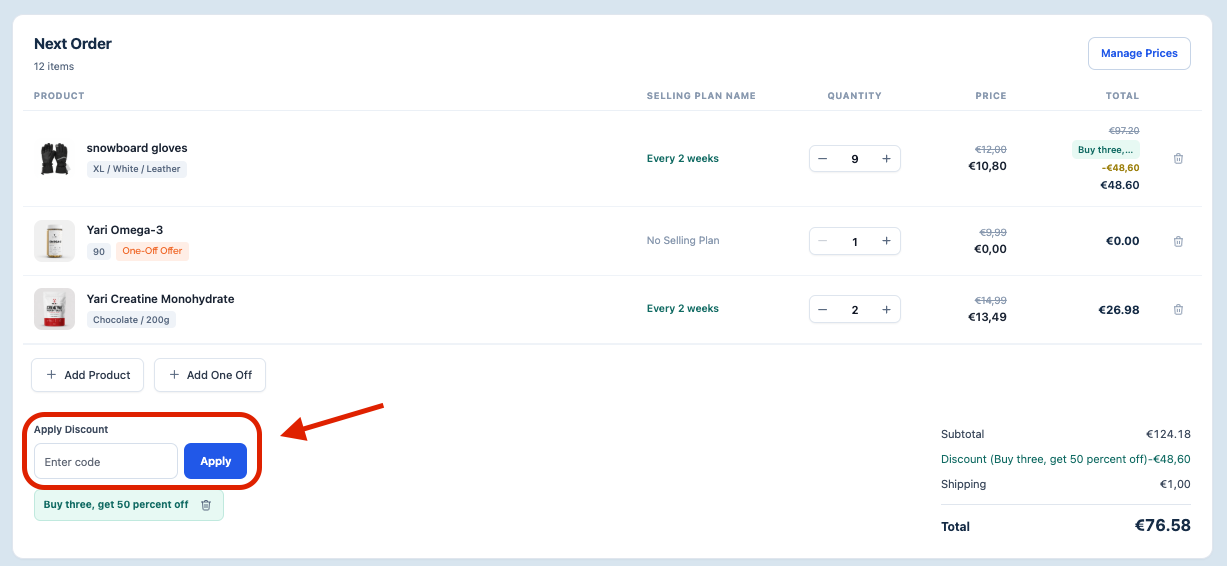
If the subscriber should continue receiving a discount, apply a valid discount code from the subscription detail page in the Yari Flow Dashboard.
Still experiencing an issue?
If the swap is still not working after reviewing the conditions above, contact the Yari Flow Support team at help@yariflow.com.
Include the following information to help the team investigate:
- The subscription ID
- The original product variant
- The replacement product variant
- Where the swap was initiated
- What you expected to happen
- What happened instead

