

Order subscription tags in Shopify
What are subscription tags?
Subscription tags are labels that Yari Flow automatically adds to the orders to identify subscription-related activity.
You can use these tags to:
- Segment customers and orders
- Track subscription activity
- Build Shopify automations
- Create custom reports
Yari Flow applies tags at both the order level, giving you flexibility when filtering and analysing subscription data.
Order tags
Yari Flow automatically adds tags to subscription orders in Shopify. These tags help you identify the order type and the customer’s stage in the subscription lifecycle.
How to view order tags in Shopify
1. In Shopify Admin, go to Orders.
2. Open the order you want to review.
3. Find the Tags section.
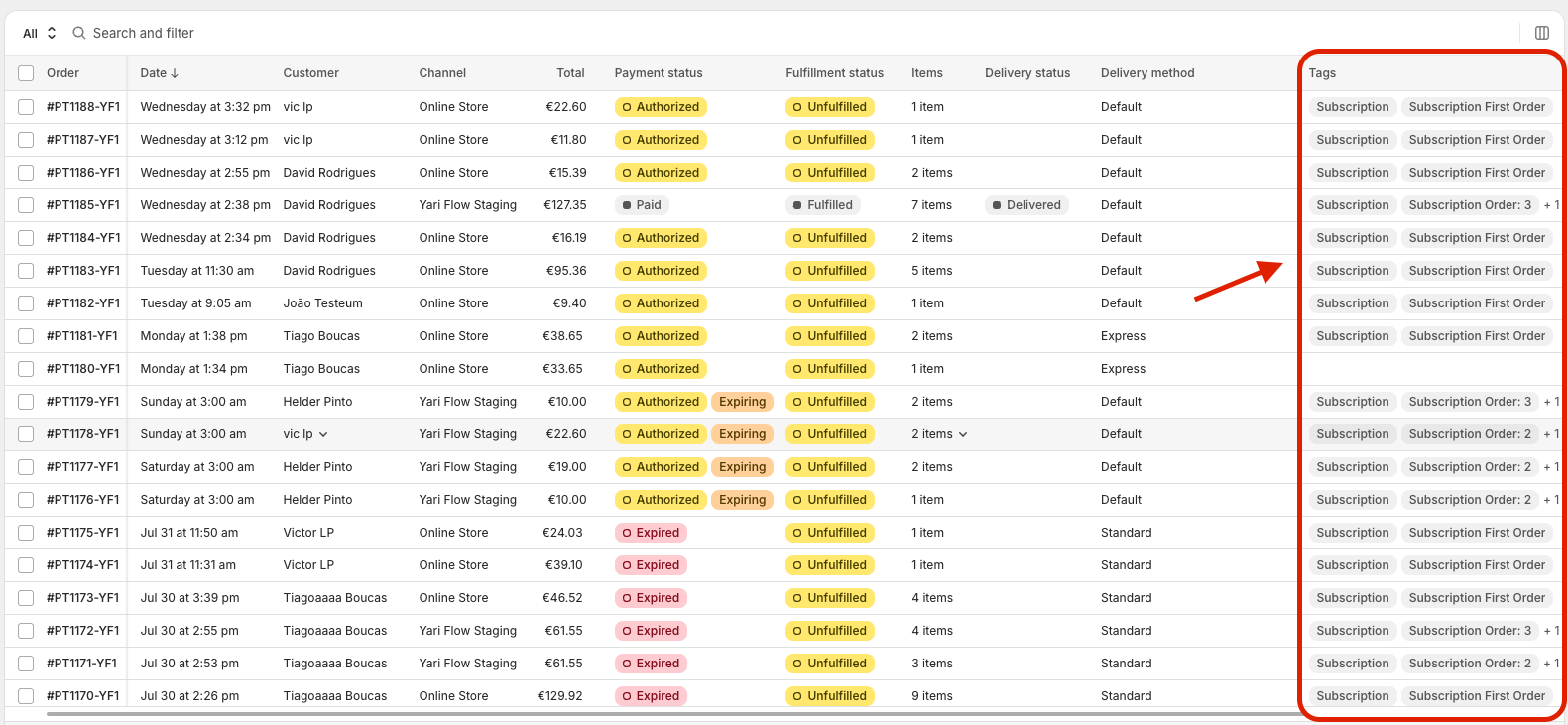
Yari Flow adds tags to subscription orders to identify the order type and subscription cycle.
Available order tags
Tag
When it is applied
Subscription First Order
Applied to the first order created for a subscription
Subscription Recurring Order
Applied to subsequent recurring subscription orders
FAQ
When a customer cancels a subscription, does Yari Flow replace the Active product subscription tag with the Canceled product subscription tag?
Not necessarily.
The customer keeps the Active product subscription tag as long as they have at least one active subscription.
Yari Flow only removes the active tag and adds the Canceled product subscription tag when all of the customer’s subscriptions have been cancelled.

