

How to restrict a product to subscription-only purchases
Overview
Some products may only be available as recurring subscription purchases.
To prevent customers from purchasing a product as a one-time order, update its purchase options in Shopify.
Remove the one-time purchase option
1. In your Shopify admin, go to Products.
2. Open the product you want to make subscription-only.
3. Scroll to the Purchase options section.
4. Select Only show this product with these purchase options.
5. Click Save.
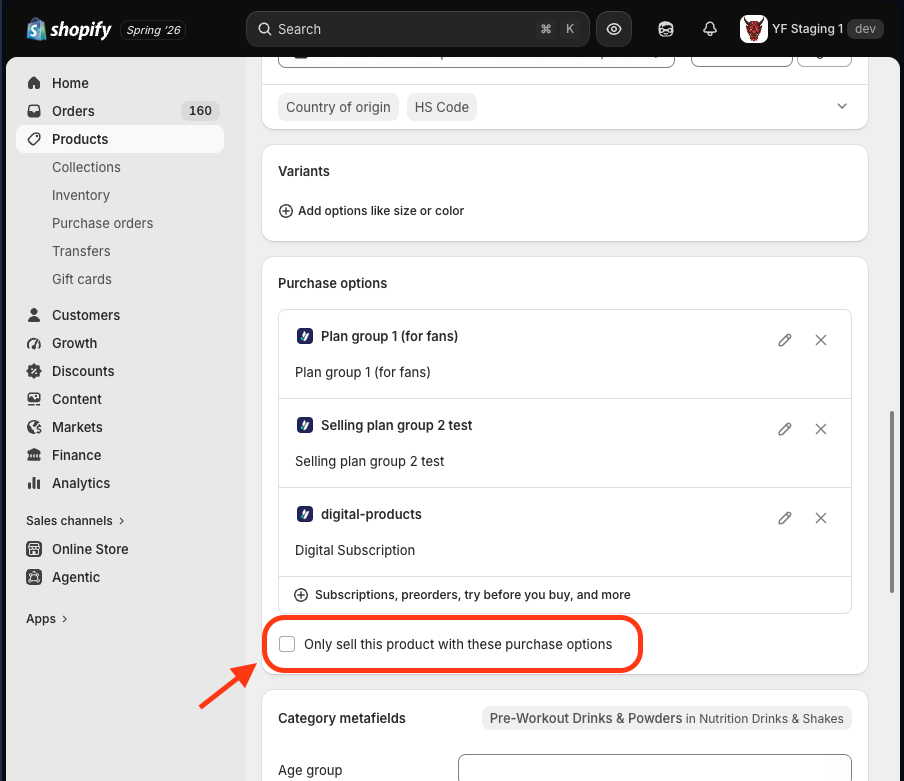
After this setting is enabled, Shopify will require a Selling Plan whenever the product is purchased.
The Yari Flow Plan Picker will also stop displaying the One-time purchase option for that product.

Powered by
